Use AI to summarize this article

Planning a website redesign, but stuck on which CMS to choose? You're not alone. It's one of the first questions every company asks us, and one of the hardest decisions to undo later. Your CMS decides who can edit the site, how fast you can launch new pages, how well you rank in Google and AI search, and how much the site costs you every year.
There are more good options than ever: visual builders like Webflow and Framer, headless platforms like Sanity, Contentful, WordPress somewhere in between, and Shopify for companies that sell online. Each one is great for someone, and wrong for someone else.
So let's go through them together. Over the years, we've built, tested, and migrated real client sites on every platform in this list, so everything below comes from first-hand experience, not from feature pages. We'll look at 6 of the most popular CMS platforms, score each one in the same five categories, and tell you honestly which ones we recommend most. By the end, you'll know which one fits your company, your team, and your plans.
What is a CMS, and why does it matter?
A CMS (content management system) is the software behind your website that lets you create, edit, and publish content without writing code. It's where your team updates text and images, adds blog posts and case studies, builds new landing pages, and manages things like SEO settings and translations.
There are two main types:
- Traditional or visual CMS (like Webflow, WordPress, Framer, and Shopify): content, design, and the website live together. You edit content and often see the page exactly as visitors will.
- Headless CMS (like Sanity and Contentful): content is stored separately from the design, and developers connect it to a custom-built website. More flexibility, but it needs a developer to set up.
In short, the CMS isn't just a technical detail. It shapes how your whole team works with the website every day.
How we compare
Instead of giving each platform a single score, we compare all of them across the same five categories. That way you can see where each one is strong, where it falls short, and which trade-offs matter for your team.
Prices below are starting prices at the time of writing. They change often, so always check the platform's pricing page before you decide.
1. Webflow (Our Recommendation)
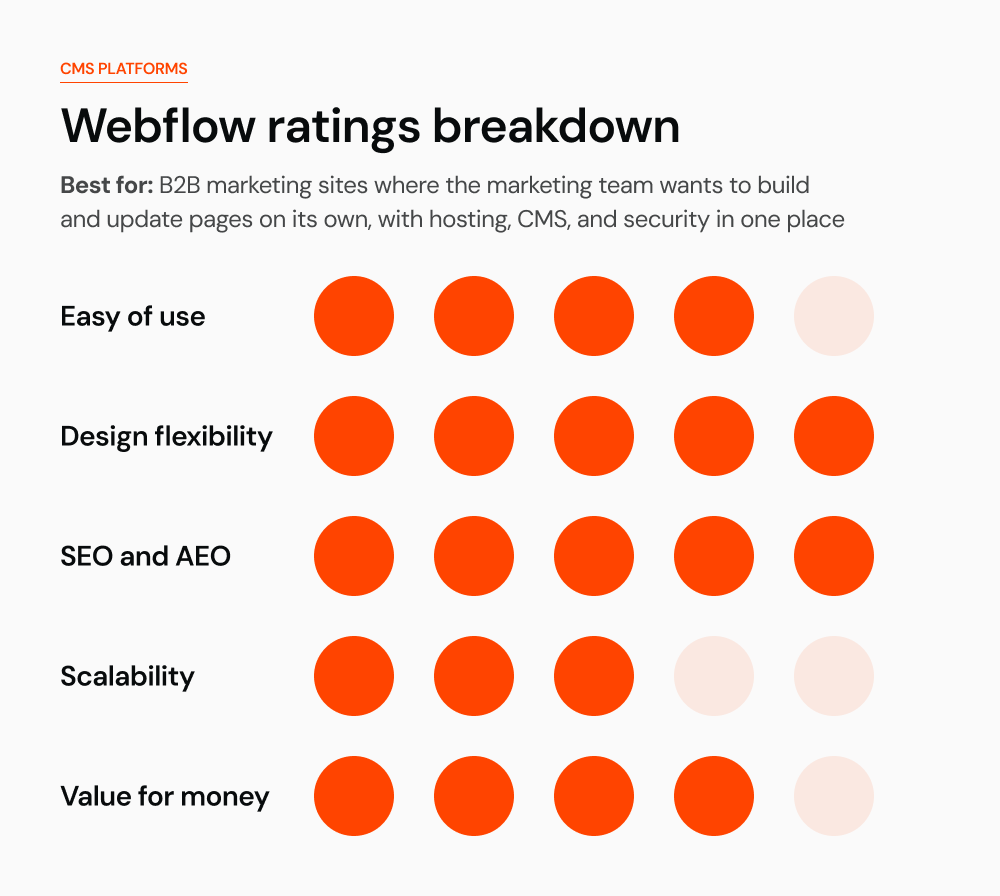
What it is: a visual website platform that combines design, CMS, and hosting in one place. Designers build production-ready sites visually, and marketers edit content directly on the page.
Who it's for: B2B companies, SaaS and tech startups, and agencies that want a custom-designed marketing site their team can manage without developers.
From our experience: Webflow is the platform most of our clients choose. The main reason is simple: they want to build and publish their own pages without waiting for a developer. Once the site is set up with reusable components, their marketing teams launch landing pages, case studies, and blog posts on their own, and they are happy with how much faster they can move. See how we build sites like this on our Webflow Development page.

Pros
- Full design freedom without writing code, with reusable components and slots for fast page building
- Hosting, security, SSL, and backups are handled for you
- Strong built-in SEO controls, clean code, and fast hosting
- Marketing teams can launch landing pages and blog posts on their own
Cons
- Monthly costs add up: site plan, Workspace seats, and add-ons like Localization
- CMS has limits: the Premium plan includes 20,000 CMS items and 40 Collections
- You are tied to Webflow's hosting and pricing decisions
- Complex logic, logins, or app features need custom code or other tools
Starting price: Premium site plan from $25/month billed yearly, plus Workspace seats.
2. WordPress
What it is: the open-source CMS that powers a huge share of the web. It started as a blogging tool and grew into a platform that can run almost any kind of site through themes and plugins.
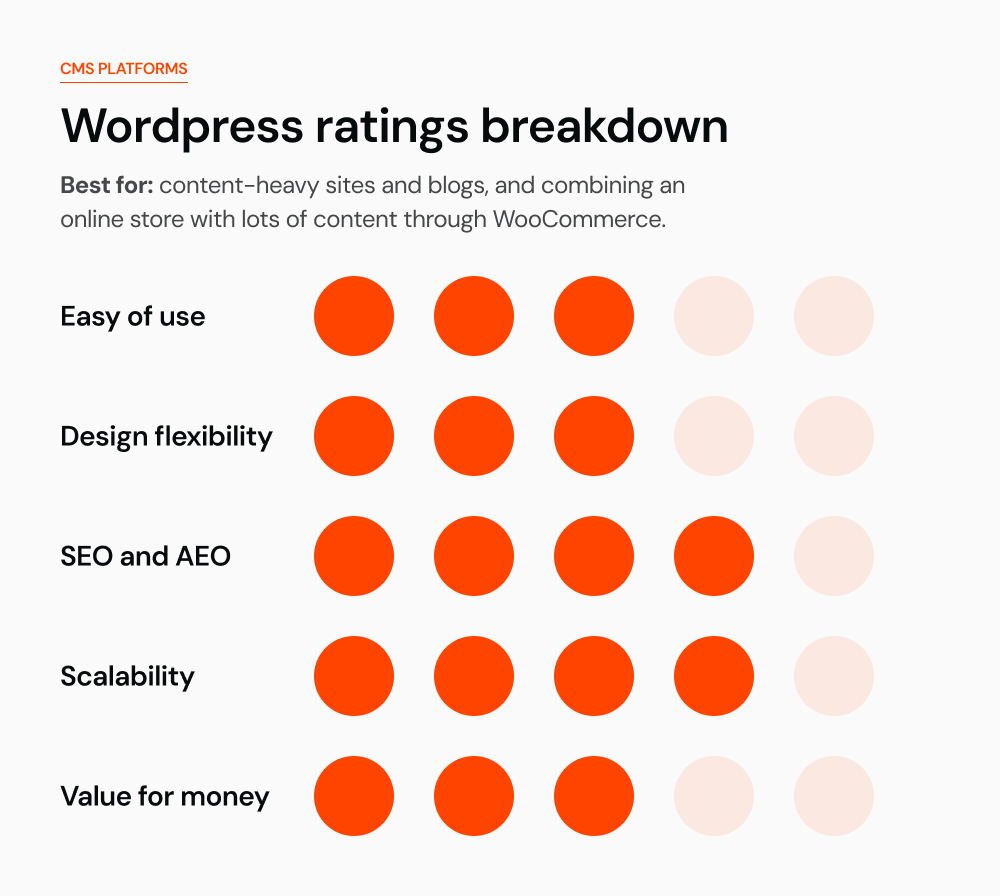
Who it's for: content-heavy sites, blogs, and companies that want full control over hosting and a huge choice of plugins, with a developer or agency to maintain it.
From our experience: many companies still choose WordPress simply because they're used to it. Someone on the team has worked with it before, so it feels like the safe choice. And at the start, it often is: the software is free and launching a site is quick. The problems show up later. Every new feature means another plugin, many plugins need yearly licenses, and each update brings the risk of something breaking.
Over a few years, plugins, premium hosting, security fixes, and developer hours for maintenance can add up to far more than a platform with a fixed monthly price.
Ecommerce plus content: where WordPress really shines is when you need both an online store and a content-rich website. With WooCommerce, you get ecommerce and a full CMS in one place: products and checkout next to your blog, resources, and landing pages. If that's the combination you're after, WordPress is an ideal choice.

We recently helped RecRight migrate their site from WordPress to Webflow in three languages (English, Finnish, and Swedish), with no loss in SEO. All content, URLs, and rankings carried over, and their team can now update the site on their own.
Pros
- The software is free and open source, and you can host it anywhere
- A plugin for almost everything: SEO, forms, multilingual, ecommerce, memberships
- Excellent for blogging and large content libraries
- Huge community and plenty of developers to choose from
Cons
- Plugins, themes, and core need constant updates, and outdated plugins are a common security risk
- Performance often suffers on sites with many plugins or heavy page builders
- Design freedom depends on the theme or page builder, and custom design needs a developer
- Hosting, premium plugins, and maintenance make the real cost much higher than "free"
Starting price: the software is free; you pay for hosting, premium themes and plugins, and maintenance.
3. Framer
What it is: a design-first website builder with a canvas that feels like a design tool, built-in AI page generation, a CMS, and hosting.
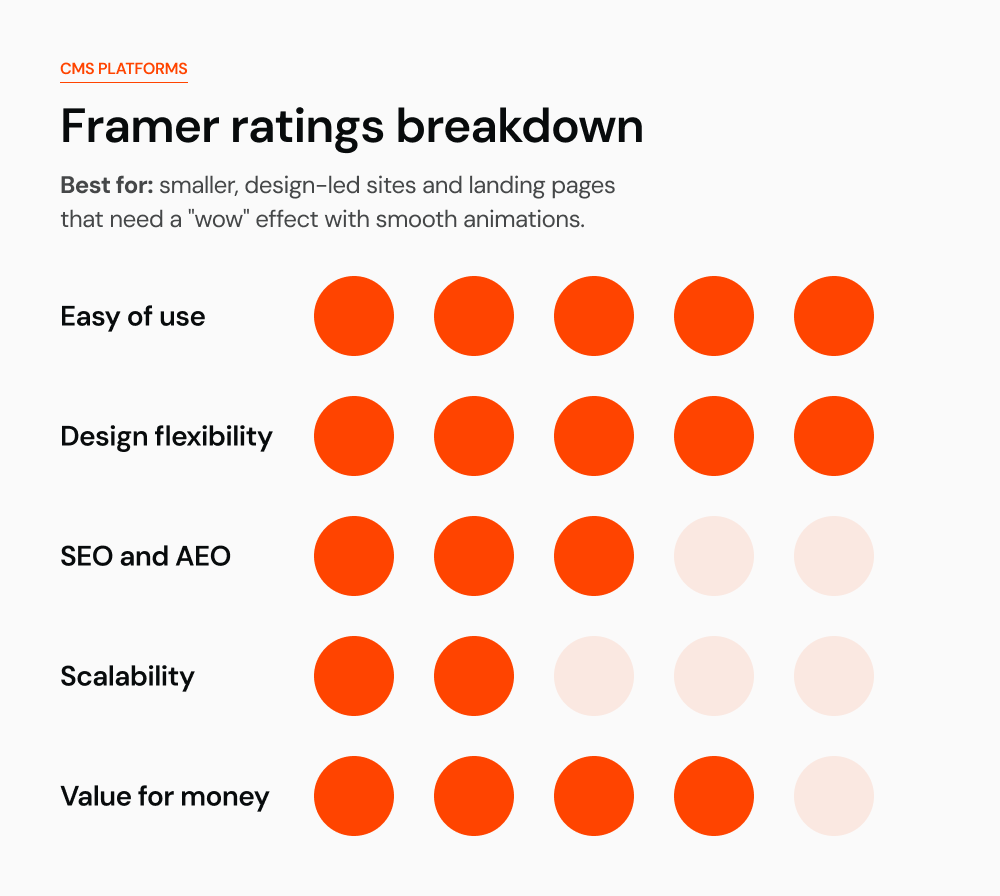
Who it's for: startups, designers, and small teams that need a beautiful marketing site or landing page live fast, with a modest amount of content.
From our experience: the clients who choose Framer usually want a "wow" effect: a site with lots of smooth animations and interactions that makes a strong first impression. These are mostly smaller sites, without large resource sections, big blogs, or hundreds of pages. If that's what you're looking for, Framer could be a great choice for you.

Pros
- The fastest way from design to a live, polished website
- Smooth animations and interactions out of the box
- Very easy for designers and marketers to edit
- Affordable to start, with per-site pricing
Cons
- CMS limits are tight: the Pro plan includes 10 CMS collections and 2,500 items
- Less suited to large, content-heavy, or complex multi-language sites
- Fewer advanced SEO and integration options than Webflow or WordPress
- Each site is a separate subscription, and editor seats cost extra
Starting price: Basic from $10/month and Pro from $30 per site, billed yearly.
4. Sanity
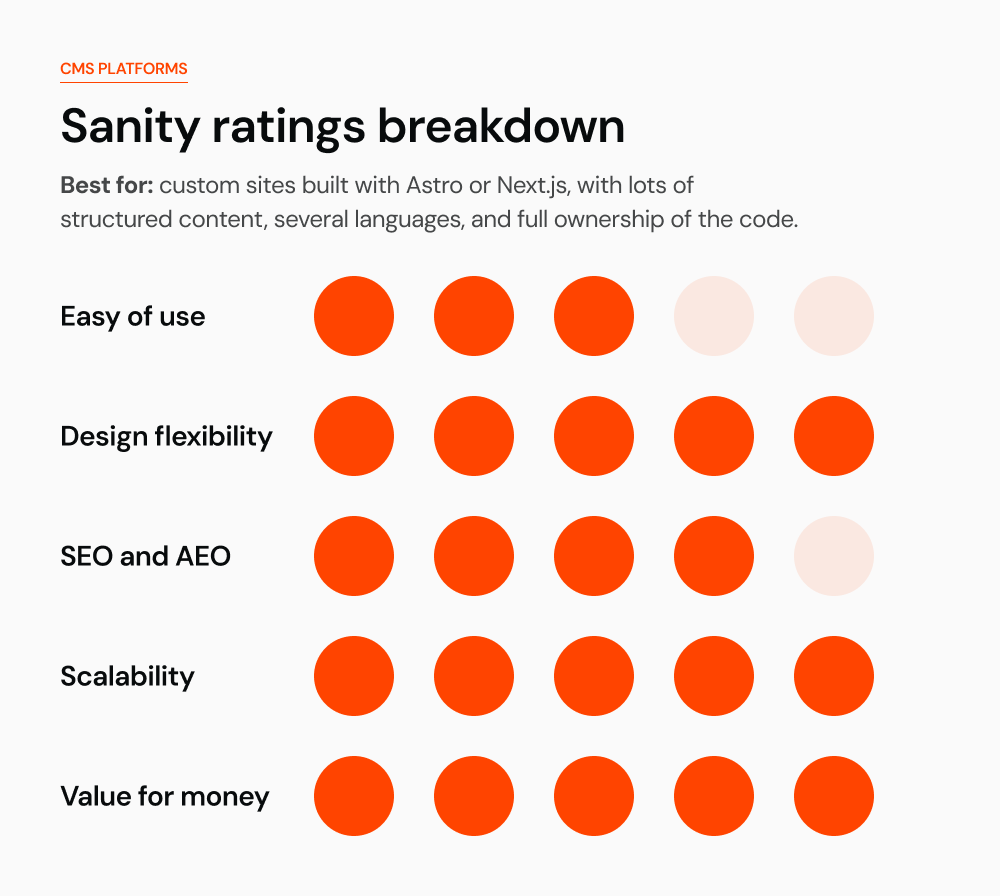
What it is: a headless CMS that stores content as structured data. Developers build the website in any framework (like Astro or Next.js), and editors manage content in a customizable Sanity Studio with live preview.
Who it's for: B2B and SaaS companies with lots of structured content, several languages, or plans to reuse content across a website, app, and AI tools. You need a developer or agency to set it up.
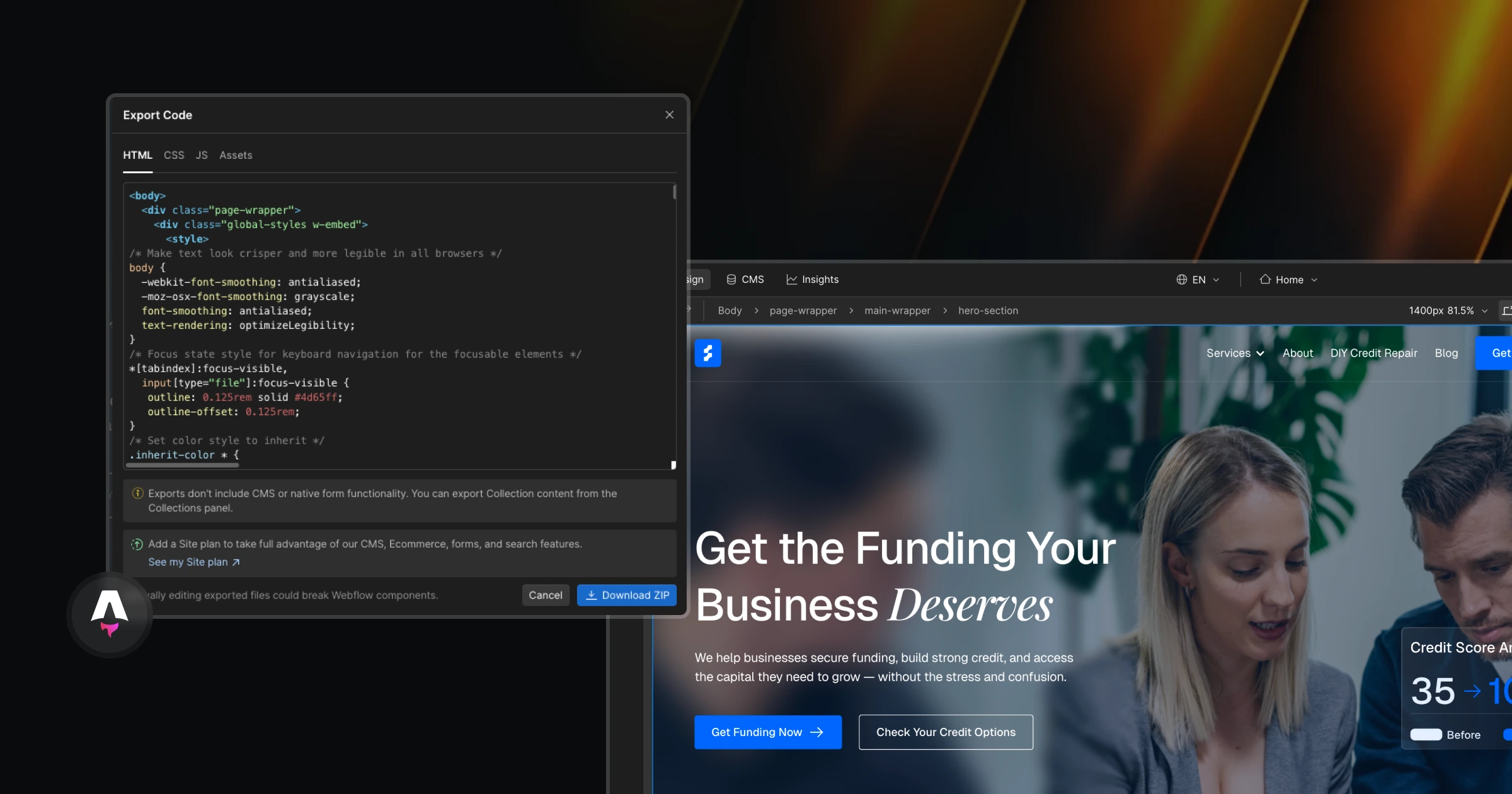
From our experience: Sanity is our go-to CMS when a site moves to custom code. We used it when we moved our own website from Webflow to Astro, and for several client sites since. If you're planning to migrate to a modern framework like Astro or Next.js, Sanity might be the right choice for you: it connects cleanly to both, gives your team a clear editing interface, and stays flexible as your content grows.
Pros
- Fully flexible content models: products, industries, integrations, and translations all linked together
- Generous free plan: up to 20 seats, 10,000 documents, and unlimited content types and locales
- Real-time collaboration and a Studio that can be tailored to your team
- No platform lock-in on the front end: you own the website code
Cons
- Needs a developer to build the website and maintain the setup
- Editors work in forms with preview, not directly on the page
- Costs grow with seats and usage on paid plans
- SEO quality depends on how well the front end is built
Starting price: Free plan; Growth from $15 per seat per month, plus hosting for the website.
5. Contentful
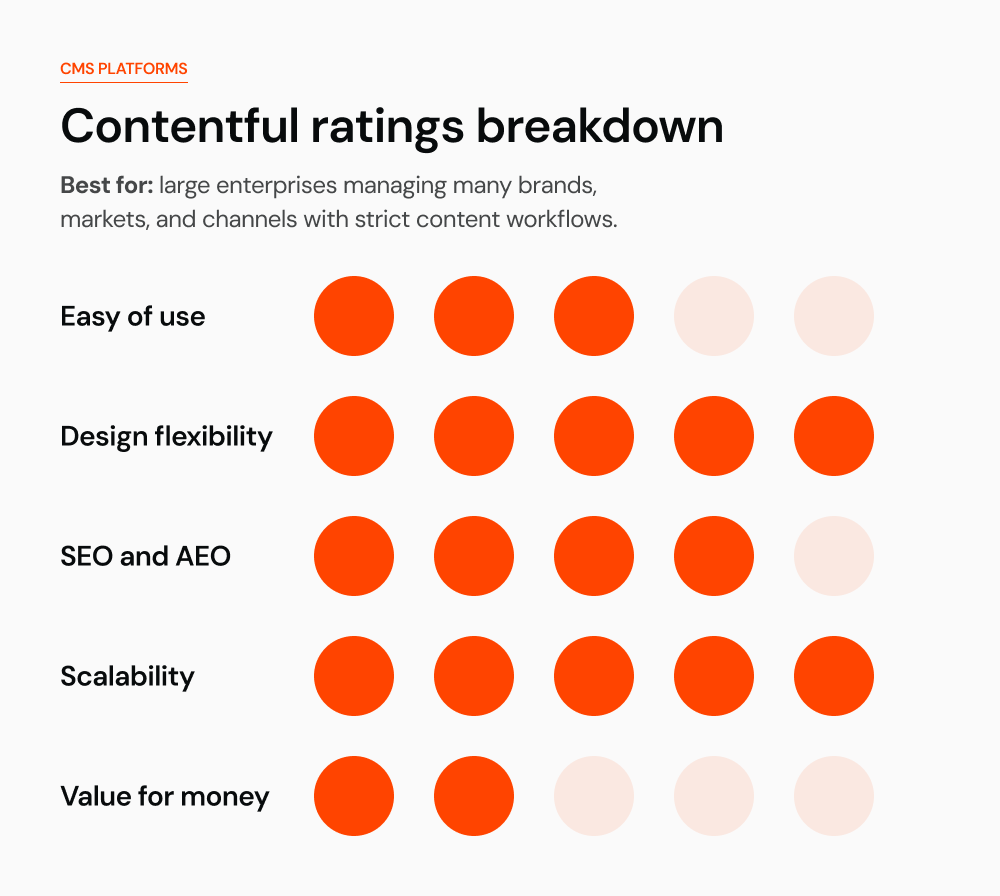
What it is: one of the original enterprise headless CMS platforms. Content is delivered by API to websites, apps, and other channels, with strong workflows and governance.
Who it's for: larger companies and enterprise marketing teams with many brands, channels, or markets, and a development team to build on top of it.

Pros
- Mature, stable platform trusted by large enterprises
- Strong roles, workflows, and governance for big content teams
- Large ecosystem of integrations and apps
- Content can feed any front end or channel
Cons
- Expensive once you outgrow the free plan: the paid entry plan is $300 per month
- Languages are limited on lower plans: 2 locales on Free and 3 on Lite
- Needs developers for the website and most setup changes
- Editing experience is less visual than Webflow or Storyblok
Starting price: Free plan; Lite from $300 per month; Premium by quote.
6. Shopify
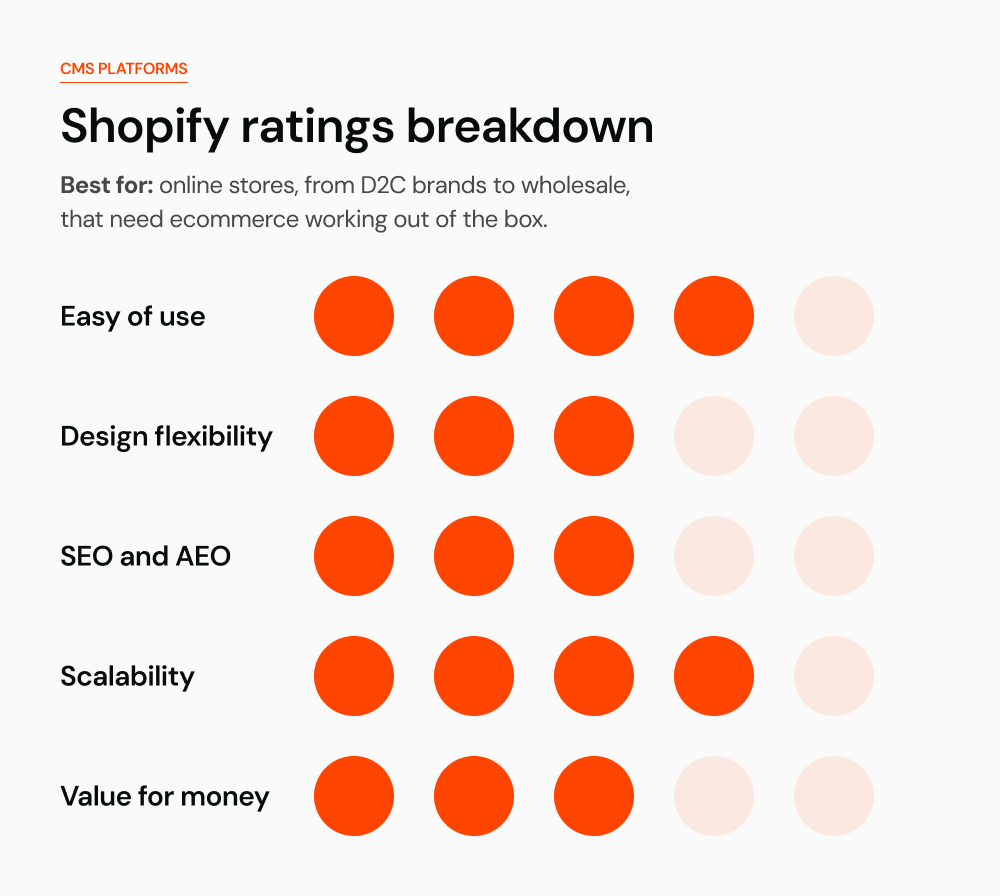
What it is: the leading ecommerce platform, with a built-in CMS for products, collections, pages, and a blog, plus checkout, payments, and hosting in one place.
Who it's for: companies that sell products online, from D2C brands to wholesalers. Core B2B features now run on the Basic, Grow, and Advanced plans, so a wholesale model can be tested before moving to Shopify Plus.
From our experience: if ecommerce is what you need, Shopify is definitely our first choice. Products, checkout, payments, and hosting all work out of the box, and it's everything an online store needs. But if you want more than just a store, for example a content-heavy site with a blog, resources, and custom pages alongside your shop, WooCommerce on WordPress may be the better choice, because it gives you a full CMS and ecommerce in one place.

Pros
- The most complete ecommerce setup: products, inventory, checkout, and payments out of the box
- Huge app store and theme marketplace
- Reliable hosting that handles big traffic spikes
- Easy for teams to manage products and orders day to day
Cons
- Built for selling, not for content: blogs and landing pages are more limited than in Webflow or WordPress
- Design freedom depends on the theme; custom designs need a developer who knows Liquid
- Transaction fees and paid apps add up on top of the plan
- Advanced B2B and checkout customization need Shopify Plus, which starts at $2,300 per month
Starting price: Basic from $39 per month, or $29 per month billed yearly.
How do you choose the best CMS?
After years of building on all of these platforms, here's what we recommend:
- You want a site where your team can easily edit content and build new pages, your marketing has everything it needs to work with, and you want hosting, CMS, and security all in one place: our choice is Webflow.
- You want full ownership of your website: move it to custom code with Astro or Next.js and use Sanity as your CMS. That's definitely the right choice.
- You need an ecommerce site: our choice is Shopify.
That said, no platform is perfect. Every one of them has trade-offs, and the right choice always depends on your needs: who will run the site, how much content you'll have, how fast you need to move, and where your company is heading.
Conclusion
Before you pick one, answer three questions: who will update the site every week, how much content and how many languages you'll have in two years, and whether the website needs to do more than marketing. The answers usually point to one or two platforms.
We build and migrate B2B websites on Webflow, WordPress, and custom headless setups with Sanity, so we don't push one platform. If you're not sure which CMS fits your company, book a 15-minute call and we'll help you choose, or see how we handle a platform migration if you're ready to switch.