
Use AI to summarize this article

For the last five or six years, Figma has been my only design tool. Every wireframe, every client website, every redesign started there. I swore by it, and honestly, I never seriously looked at anything else.
Then, recently, I kept hearing about Paper: a design tool where the canvas is real HTML and CSS, and AI agents can design directly on it. My first thought was: is this just another tool in an ocean of new AI tools, or is it actually something new?
So I decided to test it myself on real work. In this article, I'll share what I found: who each tool is for, the key differences, what I use today, and where I think design tools are heading next.
What is Figma?
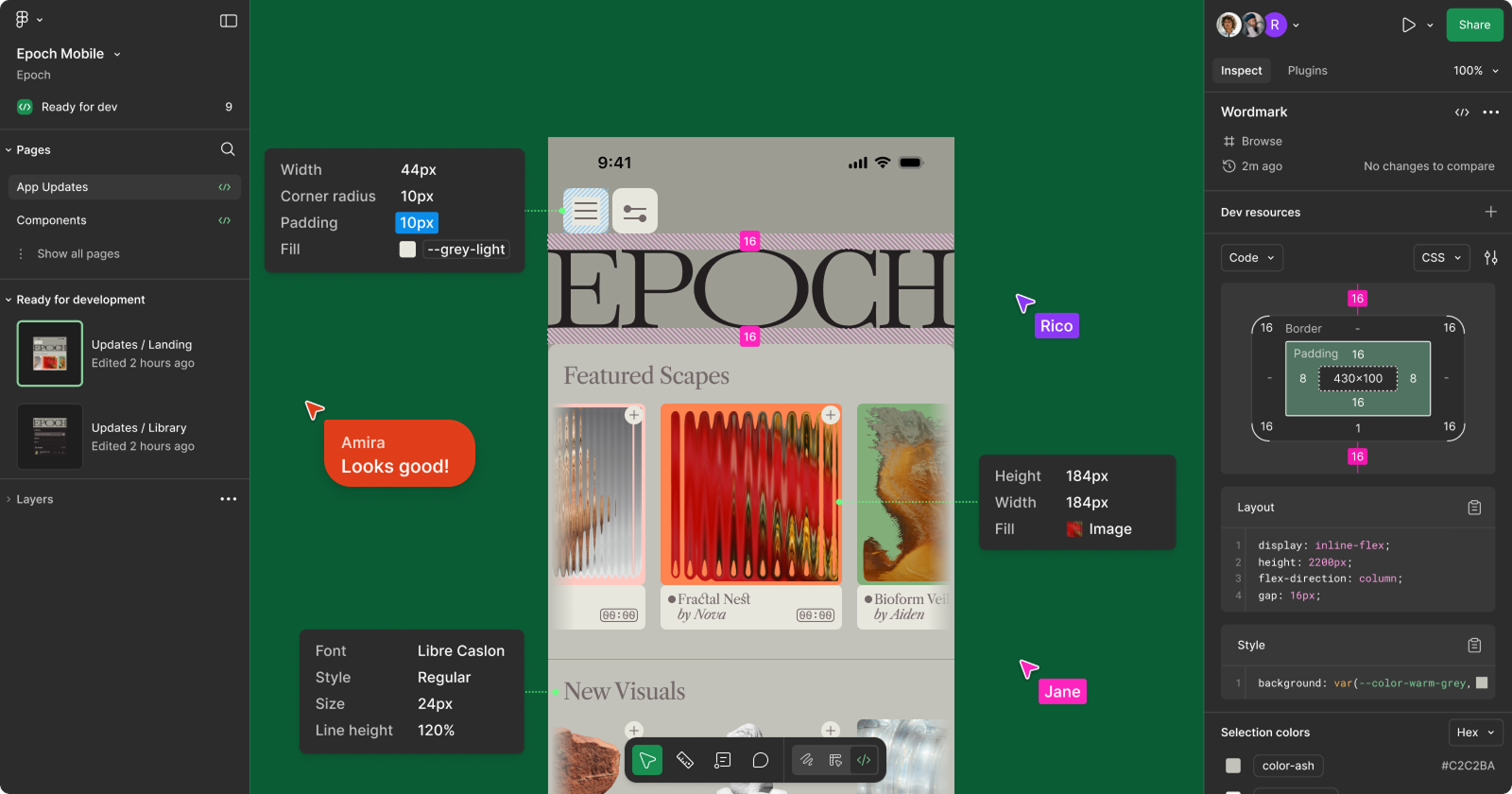
Figma is a collaborative, browser-based design tool for UI, websites, and product design. Designers, developers, product managers, and clients all work in the same file, in real time. Over the years it has grown from a design tool into a full platform: FigJam for whiteboarding, Dev Mode for handoff, Figma Make for AI prototypes, and Figma Sites for publishing.
Who uses it: almost everyone in product design, from freelancers to the largest design teams in the world. Its biggest strength is the ecosystem: design systems, component libraries, plugins, templates, and the fact that every designer and developer already knows it.
Some of the world's biggest companies design their products in Figma, including Airbnb, Microsoft, Netflix, Uber, and Spotify, according to Figma's customer stories.
What is Paper?
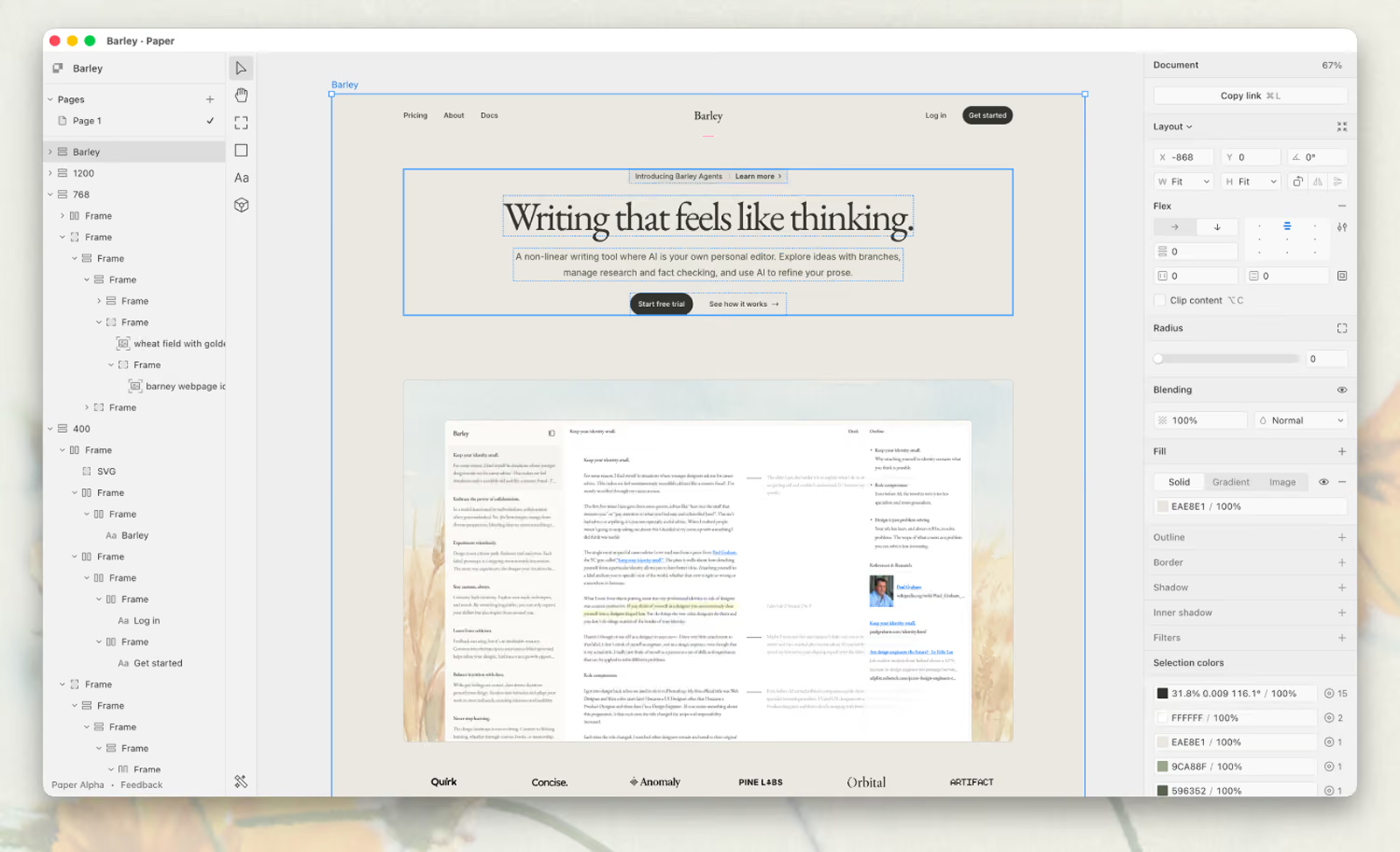
Paper is a newer design tool built on real HTML and CSS. That sounds like a technical detail, but it changes a lot: what you design on the canvas is already web code, and what you code can appear on the canvas.
Its biggest selling point is how it works with AI. In Paper, you set up your design foundation once: tokens for colors, typography, and spacing, plus your styles and components. Then you connect Paper to the AI tools you already use, like Claude Code, Codex, or Cursor, through its MCP server.
From there, an AI agent can read and write directly on your canvas: build new pages from your tokens and styles, create layouts, update designs, and pull the JSX or Tailwind code of any element. Tokens can even be added through MCP from CSS variables or an existing design, so the design system and the code stay in sync.
The result: you design the system, and AI helps you build pages that already follow it.
On top of that, you get familiar design tools like frames, real flexbox layouts, and typography, plus extras like Paper Shaders for visual effects.
Paper is still young and moving fast. Its latest update in October 2026 added rich text, Paper Mono, and new agent tool calls. Some users still point out that it lacks a robust component system for complex design libraries.
Pricing: a Free plan with 100 MCP tool calls per week, Pro at $20 per user per month, and custom pricing for Organizations.
Who uses it: designer-developers, solo founders, design engineers, and small product teams who build with AI coding agents and want their designs to turn into code with as few steps as possible.
Comparison
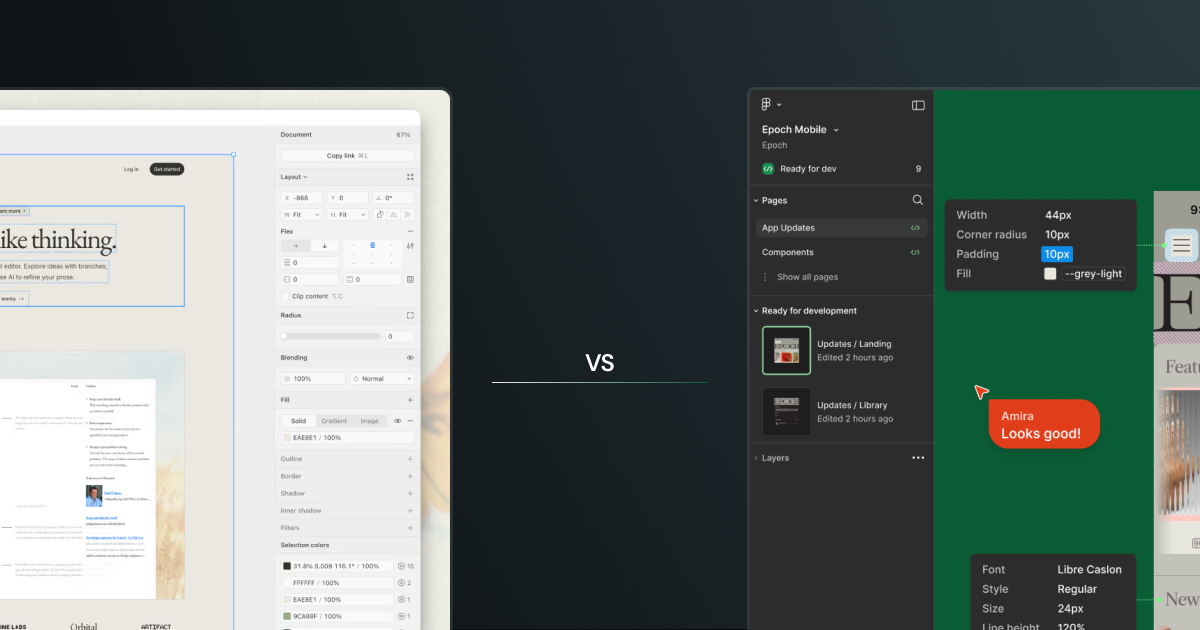
The biggest difference is what sits under the canvas. Figma stores designs in its own format and translates them to code. Paper's canvas already is code, so there's much less to translate.
Here's how that plays out in real situations.
You have a design team that works with clients every day
Winner: Figma. When several designers work on the same projects and clients review designs, leave comments, and approve pages, Figma is hard to beat. Real-time collaboration, comments, version history, and FigJam for workshops are all mature and familiar. Your clients already know how to open a Figma link and leave feedback, with no onboarding. Paper has collaboration too, but its team features are still much simpler.
You design and build with AI agents yourself
Winner: Paper. If you work with Claude Code, Codex, or Cursor every day, Paper feels like it was made for you. You set up your tokens and styles, connect your agent, and it builds new pages on the canvas that already follow your design system. Then you take the code straight into your project. Figma can also work with agents now, but its canvas still has to be translated into code, while Paper's already is code.
You manage a large design system
Winner: Figma. Component libraries, variants, variables, and shared libraries across many files and teams are where Figma has years of head start. If your company has hundreds of components and several products, Figma is the safer choice. Paper has tokens and components, but they're not yet built for libraries of that size.
Your website goes to custom code
Winner: Paper. If your site is built in Astro, Next.js, or React, Paper removes most of the handoff. Layouts are real flexbox, styles are real CSS, and any element can be exported as JSX or Tailwind. Developers spend less time recreating designs and more time on logic and content.
Your website is built in Webflow or another visual builder
Winner: Figma. In Webflow, the design gets rebuilt in Webflow's own visual editor anyway, so Paper's code export brings little benefit. Figma's components, styles, and auto layout map naturally to how Webflow sites are built, and most Webflow developers already work from Figma files.
You want to go from idea to a working prototype fast
It's a tie, with different approaches. Figma Make turns prompts or designs into working prototypes inside the Figma ecosystem. Paper lets your coding agent build directly on the canvas with your own design system, so the prototype is already close to production code. Choose Figma Make for quick concepts to show clients, and Paper when the prototype should become the real product.
Budget and learning curve
Depends on your team. Paper has a free plan and a simple Pro price per user, but it's easiest for people who already think in CSS. Figma is familiar to almost every designer, but costs grow with editor seats and AI credits. For a solo designer-developer, Paper is the more affordable bet. For a team of designers, Figma's familiarity saves more time than Paper saves money.
Who each tool is best for
Figma is the better choice if:
- You work in a team of designers, or with clients who need to review and comment on designs
- You manage a large design system with shared components and variables
- Your developers already work from Figma files and Dev Mode
- You build for platforms like Webflow, where the design is rebuilt in a visual builder anyway
- You need the largest choice of plugins, templates, and resources
Paper is the better choice if:
- You design and code yourself, or work closely with AI coding agents like Claude Code or Cursor
- Your projects end up as custom code, for example in React, Astro, or Next.js
- You want designs to turn into production-ready code with as little translation as possible
- You're a solo founder or a small team that values speed over a big feature set
- You're comfortable thinking in CSS: flexbox, padding, and gaps
-
What we use today
We still use Figma, and for now it stays our main design tool. Every project starts with wireframes and design in Figma, and there are good reasons it hasn't changed yet:
- Our clients know it. They review designs, leave comments, and approve pages in Figma without any onboarding.
- Our team works in it. Our design process, components, and project files all live there.
- It fits our Webflow work. For Webflow projects, the design gets rebuilt in Webflow anyway, so a code-based canvas brings less benefit.
- It's proven. On client projects with deadlines, we want a tool that simply works every time.
At the same time, we're testing Paper on projects that go to custom code. As more of our work moves to Astro and Next.js with AI-assisted development, a canvas that AI agents can read and turn into code makes a lot of sense. For now, Paper is a tool we're watching closely, not a replacement for Figma.
The future of design tools
The line between design and code is disappearing, and both tools are moving toward the same place from opposite directions.
- Figma is adding code to its canvas. Code layers, its own agent, MCP integrations, and even a CMS: in 2026, Figma brought Payload CMS into Figma Make. It's turning from a design tool into a platform where products are designed, prototyped, and built.
- Paper starts from code and adds design. Its bet is that a code-native canvas will matter more as AI agents become a bigger part of the workflow.
What we expect in the coming period:
- AI agents become regular members of the design team. They'll create first drafts, build variations, and turn designs into code, while designers focus on direction, taste, and quality.
- Handoff gets much shorter. The step where a developer rebuilds a design from scratch will keep shrinking, in both tools.
- Designers who understand code win. Knowing how layouts, components, and CSS work will matter more than ever.
- Figma stays the standard for teams, for now. Its ecosystem and the number of people who know it are a huge advantage, and it's catching up fast on AI.
- Tools like Paper keep growing in custom-code projects, especially among solo builders and small teams who already work with AI coding agents.
The real question in the next few years won't be "Figma or Paper?", but "how well does your design tool work with AI?". Both are taking that question seriously.
Conclusion
Figma and Paper aren't really competing for the same person yet. Figma is the complete, proven platform for teams, clients, and large design systems. Paper is a sharp, focused tool for people who design and build with AI agents, and want their designs to become code without the translation step.
If you work with a team, clients, or a no-code platform like Webflow, stay with Figma. If you build custom sites with AI coding agents and are comfortable with CSS, Paper is well worth trying, and its free plan makes that easy.
We'll keep using Figma as our main tool while we test Paper on custom-code projects, and we'll share what we learn along the way. Planning a new website and want a design process that is ready for how sites are built today? Book a 15-minute call or see our website design service.